
A Business Manager’s Day with Copilot: 10 Copy-Paste Prompts
Six moments from the overnight inbox to the last reply, each with prompts you can copy into Copilot Chat, Outlook and Teams.
Read the guide →Embed is where AI stops being something people use and becomes something that runs in the background of how the business operates.
Where Elevate and Expand build human capability, Embed builds autonomous agents and multi-agent orchestrations inside the Microsoft 365 ecosystem, designed, developed and implemented directly by Solid.
30 minutes · no obligation · with our AI adoption team
This is not a coaching product. It is a "we do the work" service.
Solid partners with the business to identify high-friction workflows, design the right agent architecture, build the agents, and put them into production. The result is real process automation, not personal productivity gains.
Embed is the earned end of the journey: the point where your team is already operating well with Microsoft Copilot, you know exactly which workflows are worth automating, and you have the muscle to make the automation actually land.
Joint workflow discovery, end-to-end agent build, and multi-agent orchestration when one agent isn't enough. And we stay alongside it as it grows.
Made Superhuman the Solid Way
3 minutes. A free score on what Microsoft Copilot can actually do across your Microsoft 365, and how much you're leaving on the table.
Embed is the next chapter: autonomous Copilot agents, designed and built by Solid, embedded inside how your business actually runs. If this is the conversation you've been waiting for, register your interest and we'll bring you in early.
Tell us where Copilot is today and where you want it to be. We’ll help you find the first wins and the right next step.

Six moments from the overnight inbox to the last reply, each with prompts you can copy into Copilot Chat, Outlook and Teams.
Read the guide →From prepping a pitch to the follow-up, with prompts you can copy into Outlook, Excel, PowerPoint and Teams.
Read the guide →From sorting cost data to what-if scenarios, with prompts you can copy into Excel, Word, PowerPoint and Teams.
Read the guide →From a media enquiry to the approved statement, with prompts you can copy into Outlook, Teams, Loop and Word.
Read the guide →Ignite, Elevate, Expand and Embed: how leaders and teams go from a first look at Copilot to AI that is part of how work happens.
Read the guide →The best productivity hacks for businesses using Microsoft 365: time management strategies, workflow automation and remote work efficiency tips.
Read the article →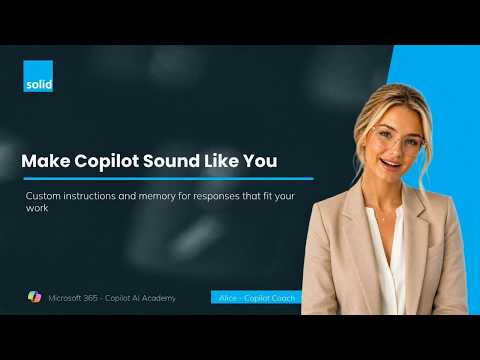
Ask Copilot to review your Work IQ and write personal instructions from your real emails, chats and meetings.
Watch the lesson →
Save a prompt that works and have Copilot send you a daily briefing.
Watch the lesson →
Let the Prompt Coach agent turn a vague question into a structured prompt.
Watch the lesson →
Turn a folder of documents into an agent that answers in your own words.
Watch the lesson →
One prompt, four executive views of your forecast, in under ten minutes.
Watch the lesson →
Alice shows where the model picker lives and when to switch away from Auto.
Watch the lesson →
Start your day at office.com and ask Copilot what’s actually going on.
Watch the lesson →
A simple meeting habit that captures conversations, decisions and actions.
Watch the lesson →
Inside our in-person masterclass for leaders who want to understand Copilot properly.
Watch the lesson →
The Facilitator agent captures notes in real time and keeps meetings on track.
Watch the lesson →