
A Business Manager’s Day with Copilot: 10 Copy-Paste Prompts
Six moments from the overnight inbox to the last reply, each with prompts you can copy into Copilot Chat, Outlook and Teams.
Read the guide → By Daniel AvinirCo-founder, Solid Systems

We often get asked what the difference is between OneDrive and SharePoint when it comes to Microsoft 365. It’s easy to understand why people get confused. There are so many similarities between the two products, and at times it can feel like they’re both fulfilling the same need. Which is why we thought we’d break down the argument of SharePoint vs OneDrive once and for all, and help you to decide which is right for your company.
You can think of Microsoft OneDrive as your own personal hard drive in the cloud. It’s a platform for you to store your documents online, and is the perfect solution for a person on the go. You’ll be able to access your documents from wherever you are in the world, whatever device you happen to be using at the time. Plus, you can share those documents with those one or two teammates who may need access to them, and work on them together simultaneously.
If you’re looking to find out which platform would win in the SharePoint vs OneDrive argument – when it comes to personal storage, OneDrive is the answer!
Microsoft SharePoint takes OneDrive’s accessibility one step further. While OneDrive is wonderful for individuals to share their documentation, SharePoint helps entire teams, departments and businesses to access the information that they need. It acts as an ‘intranet’ solution to store your company’s documents and make them available to all staff across their devices.
Rather than sharing single files or even folders with individuals, as you can do with OneDrive, SharePoint allows you to easily manage the documents that all of your employees can access. It helps you to set permissions for teams, rather than just individuals, making it quick and easy to give a new team member access to everything that they need all at once.
But it’s also more than simply a storage facility. It provides businesses with the opportunity to promote company culture and connect with team members. One of the biggest benefits of using SharePoint is how easy it makes collaboration. Multiple people can work on the same document, at the same time, without getting in each others’ way. Because whole teams have access to folders, it makes sharing files an absolute breeze. Plus, Team Sites allow you to update your teams on important news and updates, see who has been working on what, and hold conversations. Integration with Notebook helps you to share ideas for projects on the go. SharePoint, when used properly, becomes less of a tool and more of an ecosystem.
So, if you’re a company looking for a holistic solution for your storage and accessibility, in the SharePoint vs OneDrive debate, SharePoint is the way to go.
Keep all your personal documents and drafts in one spot online.
Drive Your Storage ForwardBoth OneDrive and SharePoint offer a place online where you can access files, but what makes them different is how they can be used. SharePoint is mostly an online system for managing documents and a communication site. OneDrive is a cloud storage service that people mostly use to create an online backup of their files.
But where, exactly, do the differences between the two platforms lie? We’ve put together this handy infographic to show you!
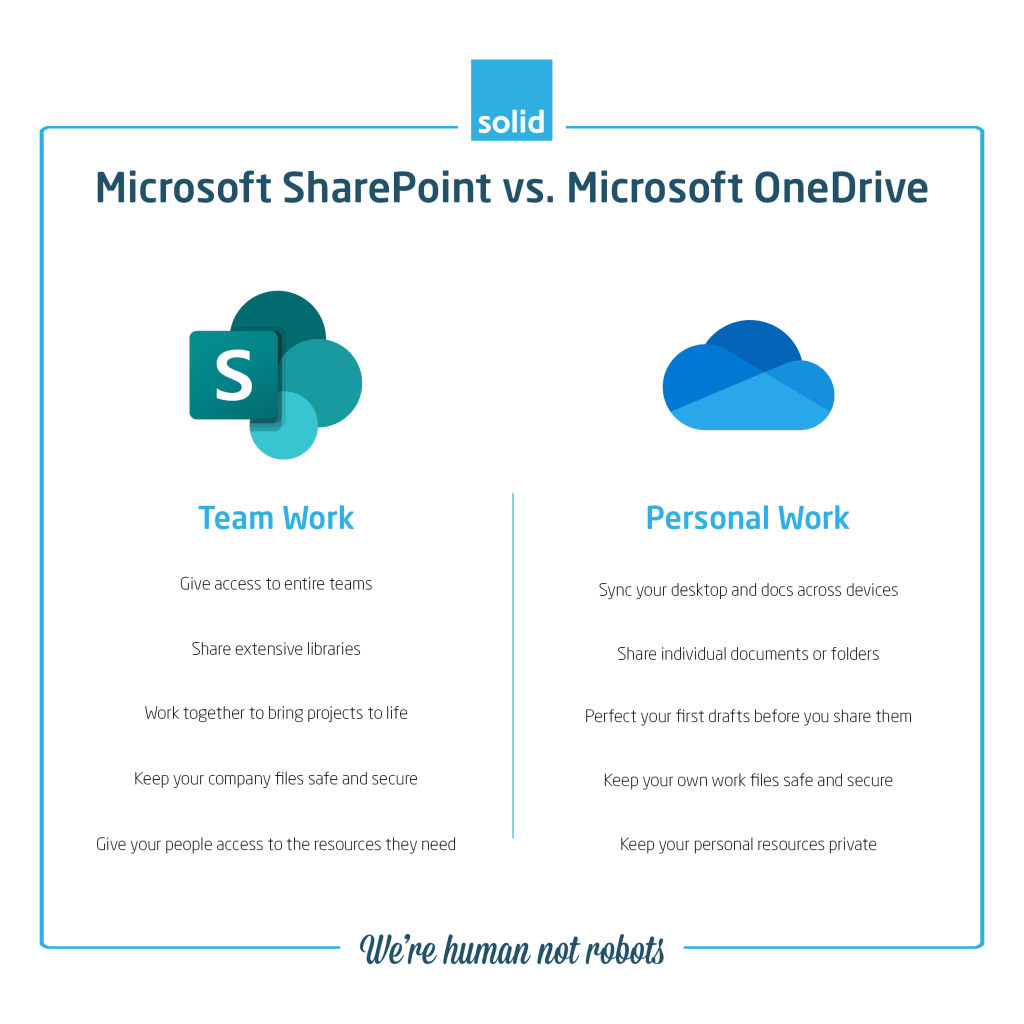
The answer could very possibly be both! The two tools may have similarities, but the biggest overall difference between SharePoint and OneDrive is that they speak to opposite needs. In the argument of SharePoint vs OneDrive, the latter is great for individual team members to store their templates, drafts and documents that their entire team doesn’t need access to. SharePoint is perfect for sharing documents and information with everyone who needs them, and for collaborating with whole teams rather than individuals.
When it comes down to it, it’s less a question of Microsoft SharePoint vs OneDrive, and more a question of how the two come together.
Co-founder of Solid Systems, helping businesses keep their Microsoft environments secure since 2003.
We set up Microsoft 365 so people can find things, share safely and work from anywhere.

Six moments from the overnight inbox to the last reply, each with prompts you can copy into Copilot Chat, Outlook and Teams.
Read the guide →From prepping a pitch to the follow-up, with prompts you can copy into Outlook, Excel, PowerPoint and Teams.
Read the guide →From sorting cost data to what-if scenarios, with prompts you can copy into Excel, Word, PowerPoint and Teams.
Read the guide →From a media enquiry to the approved statement, with prompts you can copy into Outlook, Teams, Loop and Word.
Read the guide →Ignite, Elevate, Expand and Embed: how leaders and teams go from a first look at Copilot to AI that is part of how work happens.
Read the guide →We’ve partnered with Sendmarc to bring advanced DMARC protection into Secure365, defending against email fraud, spoofing and impersonation.
Read the article →Sendmarc identifies real email and stops fake emails. Our team on what businesses gain from DMARC, SPF and DKIM done properly.
Read the article →Your domain is one of the most impersonated assets you own. Here’s how DMARC, DKIM and SPF lock it down.
Read the guide →Attackers don’t break in, they log in. How 24/7 identity monitoring, MFA and conditional access keep them out.
Read the guide →Microsoft Secure Score shows how exposed you are. Here’s how to raise it, and keep it high.
Read the guide →Communication, collaboration, device management and security in one place. What Microsoft 365 gives every user.
Read the guide →Email: the weakest link in business cyber security. A well-established financial firm recently fell victim to a business email compromise…
Read the article →Traditional security no longer works; Zero Trust is the future. A legal services firm recently suffered a data breach after an…
Read the article →The growing threat of phishing attacks. A leading accounting firm recently lost hundreds of thousands of dollars due to a…
Read the article →Why Microsoft 365 security is essential for businesses. A financial services firm recently suffered a security breach when cybercriminals gained…
Read the article →The best productivity hacks for businesses using Microsoft 365: time management strategies, workflow automation and remote work efficiency tips.
Read the article →